Client Impact Stories
Pattern: Jewelry and accessories pairing
Complete-the-look only works when earrings, bags, and shoes are SKUs on the same catalog.
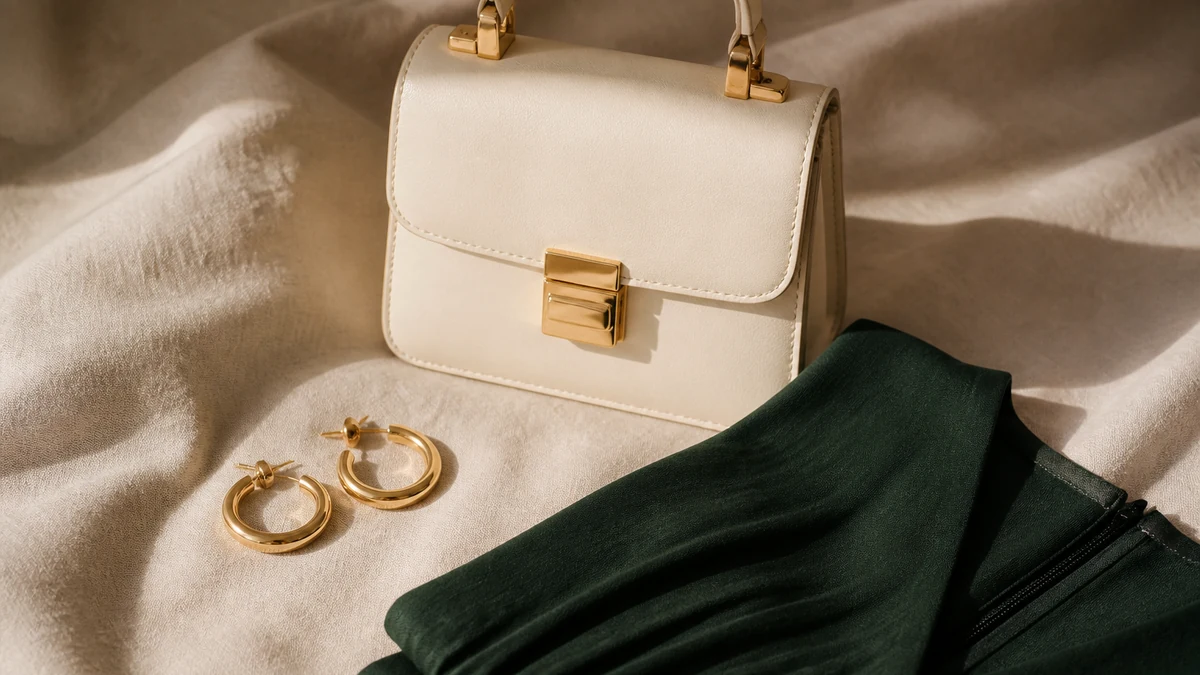
Jewelry and accessories are where invented catalogs show up first: a model wears a hoop the store does not sell. Catalog-only pairing forbids that. This pattern note recommends enabling complete-the-look only for accessory SKUs you actually stock, with inventory respected.
There is no jeweler’s name, no attach-rate, and no “basket size” claim. The pattern is visual: campaign photography includes borrowed styling pieces. Merchandising wants the look. The assistant should not complete the photo. It should complete the assortment.
How pairing goes wrong
A dress PDP shows earrings, a bag, and shoes. Two of those are props. A shopper asks to complete the look. An ungrounded system describes the props. A grounded system names only SKUs. If merchandising has not created earring and bag products, pairing should stay off or stay inside the types you do sell (for example, a scarf SKU only).
Enable pairing when earrings, bags, and shoes are SKUs on the same catalog. Product pages: Jewelry and Complete the Look. Recommendation rules belong in the portal, not in a prompt; see Merchant Portal Guide.
What merchandising should decide on paper
- Which accessory types are in-catalog for pairing.
- Whether pairing may cross price bands merchandising accepts.
- Whether sold-out earrings may be substituted with another earring SKU, same type, in stock.
- Whether gift wrapping or gift cards may ever appear in a look (usually no).
Materials and claims
Metal, stone, and plating facts belong on the product. Knowledge should not invent purity, origin, or hypoallergenic guarantees the PDP does not state. If a shopper asks a materials question and the field is empty, the assistant should say the fact is not listed—not fill the gap with plausible jewelry copy.
A practical walkthrough
- Take one hero apparel SKU and list every accessory in its hero image.
- Mark each as SKU or prop.
- If you want pairing, create or confirm SKUs for the items you will sell.
- Configure rules to stay inside those types and in-stock variants.
- Ask the assistant to complete the look; reject any prop that appears.
- Sell through one accessory in staging or pick a known out-of-stock SKU and confirm it disappears from pairing.
Failure modes
- Lookbook-driven pairing with no SKU backing.
- Try-on language used as a ring-size guarantee.
- Inventory ignored so a sold-out hoop stays in every look.
- Discount improvisation to “help the add-on attach.”
Verification
Photography, lookbooks, and the buying file
Styling teams borrow pieces. Buying files list what you own. Conversation must follow the buying file. If merchandising wants the campaign look to be shoppable, the missing items have to become products with variants, prices, and inventory—before the assistant is asked to complete the photo.
Price-band rules matter in jewelry. Pairing a hero dress with an out-of-story accessory can feel “helpful” and still be wrong for the brand. Write the band down. Portal rules should match it. Merchant Portal Guide.
Questions shoppers actually ask
Metal, plating, stone, clasp, length, and whether an item is a set: those are catalog facts when you maintain them. “Does this go with the dress in the ad?” is a pairing question that should resolve to SKUs. “Is this hypoallergenic?” is only answerable if merchandising published it. Otherwise say the fact is not listed.
Inventory on small accessories moves quickly. A hoop that was in stock at morning meeting may be gone at afternoon traffic. Weekly stock checks belong here as much as on apparel. Shopify Catalog Sync.
What this pattern is not
- An attach-rate study.
- Permission to complete a competitor’s jewelry look.
- A try-on ring-size guarantee.
- A named jeweler quote.
Every complementary item in a conversation should open as a product the shopper can add from your store. Related: Fashion, Footwear when shoes are SKUs, Margin-Aware Offers if you ever incentivize accessories under finance rules, and Guides for rule testing.
This pattern note is complete when merchandising can point at the SKUs in a look, not at a campaign still. Named stories remain a separate, approved artifact.
Shop-the-look as a buying decision
If the campaign look must be shoppable, the missing accessories become products first: title, price, variants, inventory, images. Only then enable Complete the Look. Asking conversation to complete a photo is how invented catalogs start. Jewelry.
Materials questions fail closed when fields are empty. Do not invent purity, origin, or hypoallergenic guarantees. Knowledge may repeat a published materials sentence and nothing more. Merchant Knowledge.
Inventory on small goods
- Hoops and chains sell through faster than dresses.
- Sold-out complements must drop out of looks.
- Gift cards do not belong in pairing collections.
- Unauthorized add-on discounts are not a pairing strategy.
Test: every named complement opens as a SKU. Rules: Merchant Portal Guide. Catalog-only: Catalog-Only Recommendations.
Who can turn pairing on
Buying confirms the accessory SKUs exist. Merchandising confirms collections and price-band rules. Ecommerce confirms inventory tracking. Media confirms the campaign still does not feature props as if they were products. If any role is missing, keep pairing off. Jewelry.
Unauthorized add-on discounts are not a pairing strategy. Governed offers, if used: Margin-Aware Offers. Otherwise silence.
Campaign stills will keep borrowing hoops you do not sell. Pairing stays off until those hoops are SKUs with inventory, or the look is no longer promised as shoppable. Complete the assortment, not the photo. Complete the Look.