Loading WardrobeIt

Virtual Fitting Room for Ecommerce

Let shoppers visualize products before they buy.

WardrobeIt Virtual Try-On connects the visual preview with eligible catalog products, color comparison, product selection, complete-look recommendations, variant choice, and cart action.

  • Catalog-connected
  • Privacy-aware flow
  • Mobile camera or upload
  • Direct-to-cart
  • 01

    Visual confidence

    Preview eligible products and compare supported colors or styles.

  • 02

    Catalog-connected

    Keep real products, pricing, variants, and availability beside the preview.

  • 03

    Purchase-ready

    Move from preview to complete look, variant selection, and cart.

Virtual Try-On in Action

See how one preview becomes a guided shopping journey.

WardrobeIt keeps the product, photo, preferences, and cart context connected while the shopper compares colors, explores similar styles, completes a look, replaces an item, or moves a valid selection to cart.

Selected Product

Try a product, then keep shopping without losing context.

Show me how this satin dress could look.

Upload a clear, front-facing photo. Once your preview is ready, you can compare colors, explore another style, or select a variant.

Product
Satin Drape Midi Dress
Try-on status
Eligible
Available colors
Sage · Black · Champagne
Next action
Compare or add to cart

How Virtual Try-On Works

From product selection to cart in six connected steps.

The experience stays short, guided, and merchant-controlled across mobile camera access, upload, consent, result generation, comparison, and purchase action.

  1. Step 01

    Select an eligible product

    Show the product, current price, available variants, and try-on eligibility.

  2. Step 02

    Upload or capture a photo

    Offer a supported mobile camera, device upload, or configured desktop continuation flow.

  3. Step 03

    Generate the visual preview

    Process the submitted photo and show a clear retry state when image quality is unsuitable.

  4. Step 04

    Compare products or colors

    Keep previous results available while the shopper changes supported products or variants.

  5. Step 05

    Choose the preferred option

    Keep product details, size guidance, price, and selected variant beside the result.

  6. Step 06

    Add to the merchant cart

    Add one product, selected complementary items, or an eligible complete look.

Select.
Preview.
Decide.

One connected try-on journey inside the merchant store.

Try, Compare, and Refine

Give shoppers more than one static preview.

WardrobeIt preserves the original visual decision while the shopper changes a color, switches the product, explores a similar style, adds matching items, or restores a previous look.

Look A · Champagne Try-On Preview

Eligible catalog product

Soft daytime direction

Elegant, light, and understated

Look B · Black Try-On Preview

Eligible catalog product

Structured evening direction

More formal and defined

Supported Experiences

Publish Virtual Try-On only where product coverage is validated.

WardrobeIt is designed first for fashion-led ecommerce. The live experience should show only products and categories supported by the active try-on model, product imagery, merchant configuration, privacy process, and purchase journey.
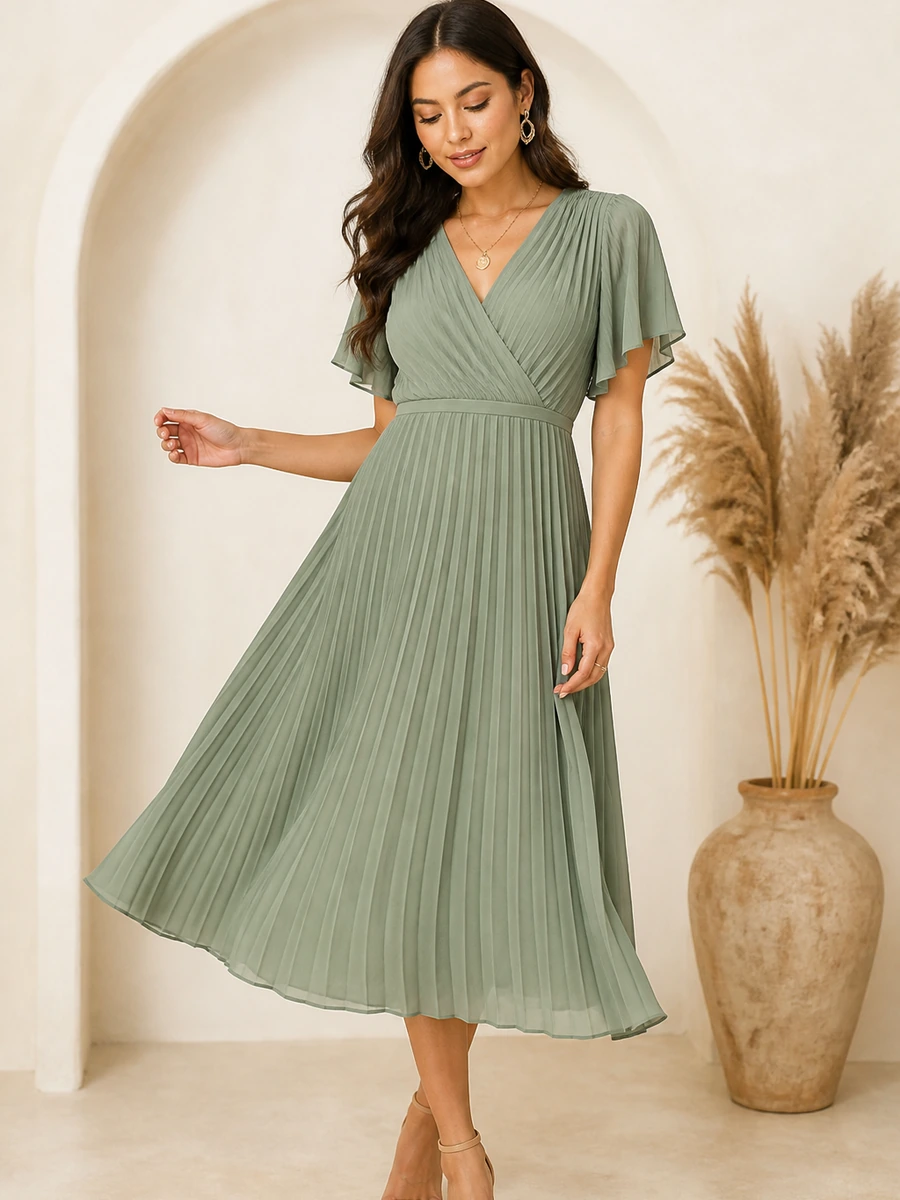
  • Validated coverage

    Fashion & Apparel

    Preview eligible garments, compare supported colors, explore related styles, review product details, and continue toward cart.

    Show only products validated for the enabled try-on model and merchant setup.

  • High consideration

    Bridal & Occasion

    Connect visual evaluation with occasion guidance, styling, accessories, product questions, and the approved support route.

    Use careful limitations and product truth during high-confidence purchase journeys.
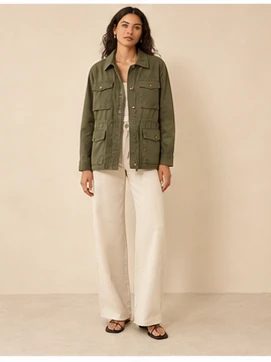
  • Conditional coverage

    Activewear Garments

    Enable supported garment products only after category, imagery, and result quality have been reviewed.

    Do not imply universal activewear, footwear, eyewear, jewelry, or beauty try-on.

From Product to Complete Look

Use the preview as the starting point for a more complete purchase.

After trying an eligible product, the shopper can explore coordinating catalog items, follow a total budget, replace one component, or compare a different styling direction.

WardrobeIt Try-On Result
Eligible try-on preview of a satin dress Eligible product · supported colors

WardrobeIt Assistant Preview is ready for this eligible catalog product. Compare supported colors, complete the look with merchant products, or confirm a variant before cart.

Add selected product to cart

Complete This Look

Build around the product the shopper already prefers.

Recommendations stay inside the merchant catalog and can respect color, occasion, formality, available variants, and a stated budget when those details are present.

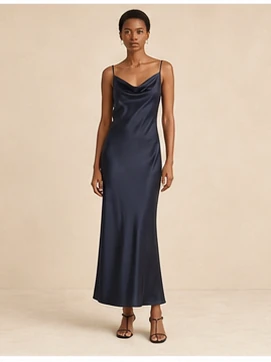
  • Satin drape midi dress product thumbnail

    Satin Drape Midi Dress

    Hero product · Medium · Champagne

    $129

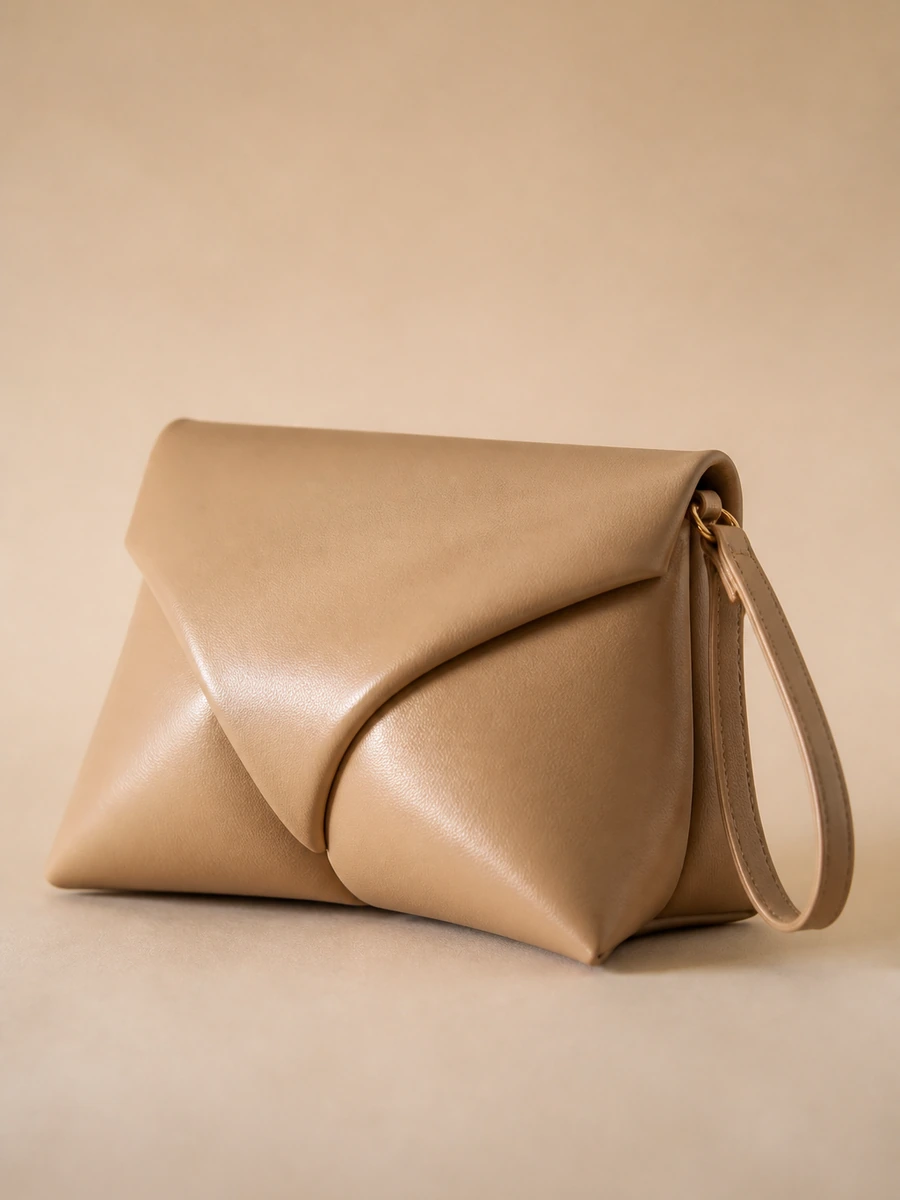
  • Structured evening bag product thumbnail

    Structured Evening Bag

    Mini leather tote · Coordinated neutral accessory

    $48

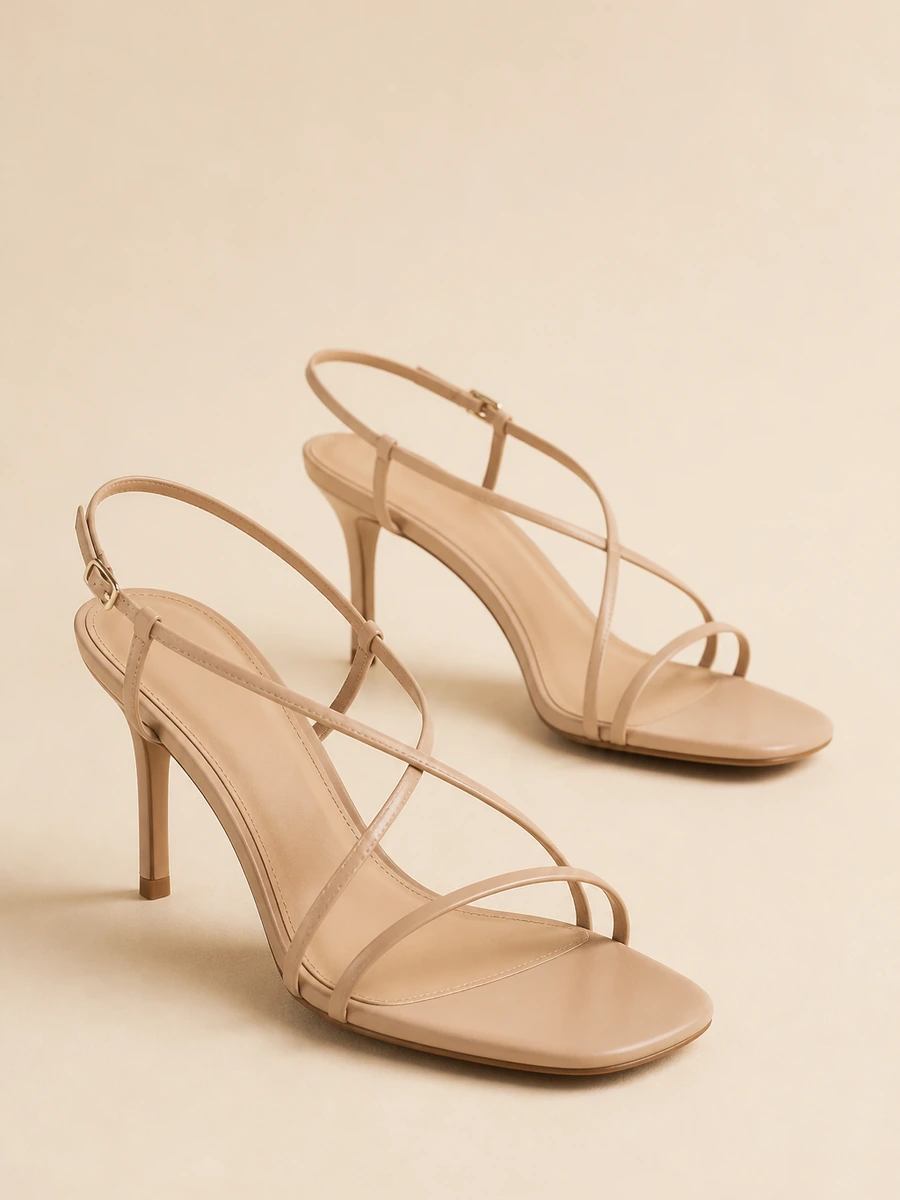
  • Neutral strappy heels product thumbnail

    Neutral Strappy Heels

    Available in selected size

    $72

  • Minimal drop earrings product thumbnail

    Minimal Drop Earrings

    Optional complementary item

    $24

Complete-look total

4 selected products · catalog-only recommendations · variants confirmed before cart

$273

Replace an item Add Full Look

From Visual Preview to Cart

Keep the real product, variant, and purchase action beside the result.

Standalone try-on tools often end with an image. WardrobeIt connects the generated preview with current product information, available variants, related products, saved-look options, and the merchant's cart.

Satin drape midi dress selected after try-on
Post try-on selection

Selected after try-on

Satin Drape Midi Dress

$129

Eligible preview linked · variant ready for cart

Color

Select size

Product actions

Size guide Ask a question Try another color

Merchant Setup & Controls

Configure which products can be tried, how shoppers are guided, and what gets measured.

The Merchant Portal keeps product eligibility, image readiness, supported categories, availability behavior, shopper instructions, privacy links, retention settings, and try-on analytics under merchant control.

  • Eligible Products

    Enable approved products, collections, product types, exclusions, and market eligibility.

  • Image Readiness

    Review image quality, angle, garment visibility, missing assets, and products requiring replacement imagery.

  • Shopper Instructions

    Configure clear photo guidance, retry messages, interface labels, result actions, and privacy links.

  • Try-On Analytics

    Review sessions, products tried, colors compared, failed submissions, cart activity, and assisted outcomes.

Privacy, Consent & Image Protection

Give shoppers clear information and control before they upload.

Explain the image purpose, applicable processing, retention behavior, deletion route, and privacy details beside the photo action. Do not hide critical consent or image-handling information after the result is generated.

  • Clear shopper consent

    Ask before processing the image and explain the requested action, purpose, and choice to continue or cancel.

    Consent before upload
  • Purpose-limited processing

    Public copy should describe only safeguards supported by the actual product, security documentation, and legal approval.

    No unsupported claims
  • Visible retention behavior

    Tell shoppers whether the image is deleted after processing, retained for a defined period, or stored with an enabled feature.

    Configuration-dependent
  • Simple deletion route

    Provide the applicable action to delete the current image, remove a saved result, or submit a data request.

    Delete my try-on image

Virtual Try-On Outcomes

Measure what happens after the shopper tries a product.

The goal is not to maximize generated images. Measure whether visual evaluation helps shoppers compare products, engage with the catalog, choose variants, build complete looks, and progress toward cart.

  • Usage

    Try-On Sessions

    Track shopper sessions that begin the try-on journey and reach a completed result.

    Starts Completions Retries
  • Products

    Products Tried

    See which eligible products, colors, and visual directions receive the most interest.

    Product activity Color comparisons Similar styles
  • Engagement

    Try-On to Product Click

    Measure whether completed previews lead to deeper product evaluation.

    Product details Variant activity Return to assistant
  • Cart

    Try-On to Cart

    Review how try-on journeys progress toward a valid add-to-cart action.

    Variant confirmations Cart additions Checkout progression
  • Complete Look

    Complementary Additions

    Track whether shoppers add relevant products after previewing the selected item.

    Complete-look views Product additions Full-look cart
  • Revenue

    Assisted Outcomes

    Connect qualifying try-on journeys with documented assisted-order and revenue definitions. Observational reporting is not automatic causal lift.

    Assisted orders Assisted revenue Attribution window

Merchant Intelligence

Turn try-on activity into product and shopper insight.

Review supported product interactions and outcome signals without presenting assisted activity as proven incremental impact.

  • Most-tried products and colors

    Understand which eligible catalog options create the most visual interest.

  • Failed and retried submissions

    Identify image-guidance, product-image, or experience-quality issues.

  • Product and cart progression

    Connect try-on with product clicks, variants, complete looks, and cart actions.

Product Walkthrough

Test the complete experience on your catalog.

Use the merchant’s real eligible products, product imagery, variants, storefront, privacy configuration, and cart journey.

See Virtual Try-On on Your Catalog
  1. Connect eligible catalog products Use approved product, image, variant, price, and availability data.
  2. Select validated coverage Enable only products technically supported by the active model.
  3. Configure guidance and privacy Set consent, instructions, retention wording, deletion route, and retry states.
  4. Test the shopper flow Validate upload, preview, comparison, complete look, variants, and cart.
  5. Review mobile usability Confirm clear touch targets, short messages, privacy visibility, and easy return.
  6. Validate reporting Check applicable events, product interactions, cart actions, and outcome data.
What is a virtual fitting room for ecommerce?

A photo or camera-supported experience that generates a visual preview of an eligible product and keeps product information, recommendations, variants, cart actions, and analytics connected.

Is Virtual Try-On the same as size and fit prediction?

No. It provides a generated visual preview and should not be presented as a guarantee of exact physical fit, measurements, fabric movement, or real-world appearance.

Can shoppers use Virtual Try-On on mobile?

Yes. The supported mobile experience can let shoppers open the camera or upload a photo inside the merchant’s mobile website experience.

Can shoppers compare different colors or products?

Yes, when those products and colors are eligible for the active try-on model and supported by the connected catalog.

Can Virtual Try-On build a complete look?

WardrobeIt can connect the selected eligible product with catalog-only complete-look recommendations, product replacement, budget controls, variants, and full-look cart actions.

How does WardrobeIt handle shopper images?

The experience should explain image purpose, consent, processing, retention, deletion, and applicable access before the shopper continues. Detailed legal information belongs on the image privacy page.

Which categories are supported?

The live website should show only eligible fashion and apparel products technically validated for the active try-on model and merchant configuration.

Does Virtual Try-On guarantee accuracy?

No. Results may vary and should not be described as an exact representation of product fit, color, scale, texture, movement, or final appearance.

Turn Virtual Try-On into a shopping action

Let shoppers see, compare, decide, and buy inside your store.

Connect eligible catalog products with visual previews, complete-look recommendations, product truth, variant selection, cart actions, privacy controls, and merchant reporting.

  • Preview eligible merchant products Catalog-connected and product-aware.
  • Compare colors and supported styles Keep previous results and shopper context connected.
  • Add the product or complete look Real variants and cart actions stay beside the preview.
  • Configure privacy and measurement Consent, retention, deletion route, and try-on analytics.