How to Launch Virtual Try-On Without Overpromising Fit
A practical launch framework for eligible-product visualization, including catalog preparation, privacy, interface copy, quality review, measurement, and honest fit limitations.
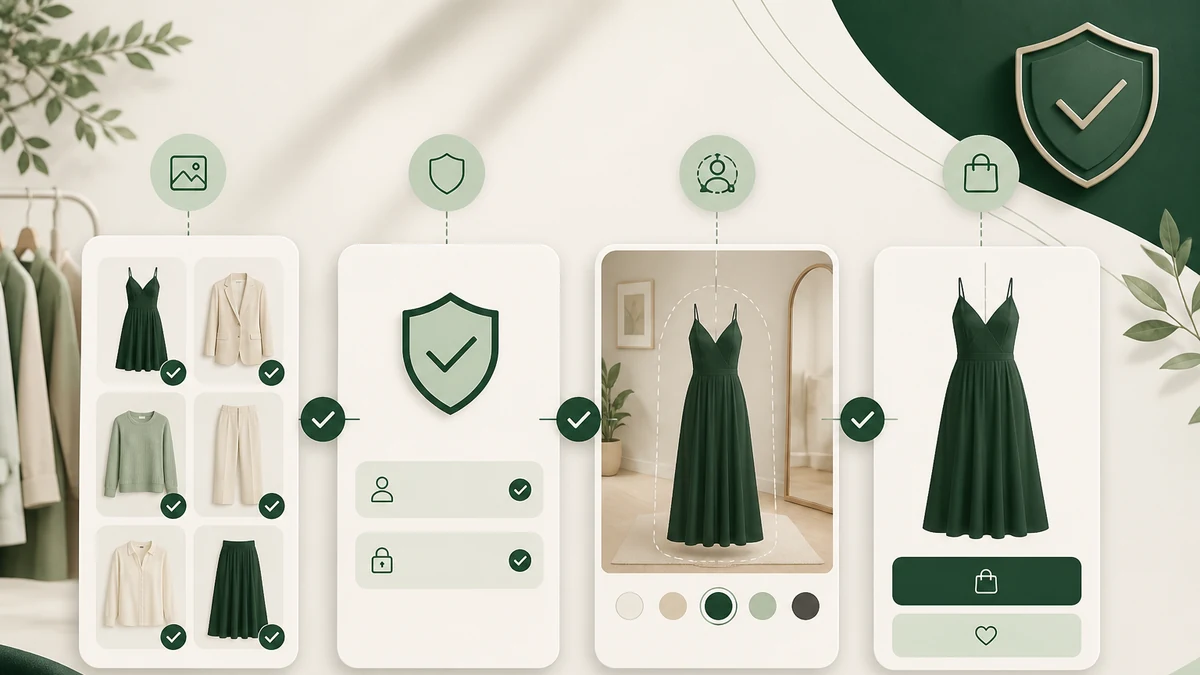
A responsible Virtual Try-On launch begins with one sentence: this is a visualization experience for eligible products, not a fit guarantee. That boundary should guide catalog selection, interface copy, privacy notices, testing, and measurement.
Clear expectations do not weaken the feature. They help shoppers understand how to use it and what information still belongs on the product page.
Step 1: Define the shopper job
Decide what the experience should help the customer do. Suitable goals include exploring an eligible item, considering a visual direction, comparing eligible products, or returning to a product decision with more context.
Avoid goals such as eliminating fit uncertainty or predicting the correct size unless a separate, validated capability genuinely supports them. WardrobeIt does not position Virtual Try-On as exact-fit technology.
Step 2: Establish product eligibility
Review which product categories and images meet current requirements. Eligibility can depend on product type, source-image quality, framing, and other implementation constraints. Do not place a try-on action across the entire catalog and hope failures sort themselves out.
Create three storefront states:
- Eligible: The action is available with clear expectation copy.
- Not eligible: Standard imagery and product guidance remain available without a broken control.
- Temporarily unavailable: The interface explains the interruption and offers a useful next step.
Step 3: Improve the source product content
Visualization does not replace product photography or descriptions. Check that eligible items have accurate titles, images, variants, color labels, price, availability, materials, care, and size guidance where supplied.
Keep the generated output linked to the actual product record. A shopper should be able to verify what is being visualized and return to the merchant’s approved imagery. WardrobeIt’s Shopify Catalog Sync provides the catalog connection, but source-data quality remains the merchant’s responsibility.
Step 4: Put limitations where decisions happen
Do not rely on a distant FAQ alone. Place concise limitation language near the try-on entry point and result. Keep a fuller explanation available without forcing the shopper through dense legal copy before understanding the feature.
Avoid phrases such as:
- “See exactly how it fits”;
- “Find your perfect size”;
- “Guaranteed to look right”;
- “Eliminate returns”; or
- “Try every product.”
Prefer “visualize,” “explore,” and “eligible item.” These verbs describe the shopper action without making an unsupported physical claim.
Step 5: Design a clear return to product evidence
After visualization, show the product identity and a clear path back to details. Do not obscure size charts, variant controls, price, availability, care information, or return-policy links.
If the shopper asks a follow-up question, answer from known catalog or approved store information. WardrobeIt’s AI Shopping Assistant can support that connected exploration while remaining within the merchant’s catalog.
Step 6: Treat image privacy as core UX
Explain image handling before the shopper provides an image. The notice should be readable, specific to the actual flow, and linked to more detail. Consent should not be inferred from an unrelated action.
Review the Virtual Try-On and Image Privacy page and ensure the merchant’s own disclosures are accurate. Privacy requirements vary by context, so operational and legal owners should review the launch.
Step 7: Test representative and difficult cases
Quality assurance should cover more than ideal desktop examples. Test supported product categories, varied source images, mobile screens, slow or interrupted connections, retries, ineligible products, and accessibility paths.
Review outputs for obvious product mismatch, confusing state changes, and loss of context. The aim is not to certify physical accuracy. It is to ensure the experience behaves consistently, labels uncertainty, and points to the correct catalog item.
Step 8: Train merchandising and support teams
Teams should understand eligibility, limitations, privacy routes, and escalation. Provide a short internal guide that answers:
- Which products are currently eligible?
- What should staff say about fit and size?
- Where is image privacy information located?
- How should a failed visualization be handled?
- Who owns product-image and catalog corrections?
- How are shopper-reported issues reviewed?
The Virtual Try-On Setup guide is a practical starting point for the supported workflow.
Step 9: Launch in a controlled scope
Begin with an eligible category or selected set rather than maximizing coverage immediately. A controlled launch makes it easier to review product imagery, explain limitations consistently, and categorize failures.
Use a launch checklist and rollback path. Confirm that ineligible products do not expose dead controls and that the standard shopping journey remains intact if visualization is unavailable.
Record the eligible product set and launch date so later reporting has context. If the assortment or eligibility rules change, annotate the change instead of comparing unlike periods as though the experience were constant.
Step 10: Measure behavior honestly
Monitor starts, completions, retries, error states, product-detail returns, eligible cart progression, and qualitative feedback. Segment results by device and category when useful.
Do not turn association into causation. If a shopper uses Virtual Try-On and later orders, that sequence shows participation under the reporting definition. It does not prove the visualization created an incremental order, prevented a return, or solved fit.
Launch with a durable promise
The most credible promise is also the most sustainable: Virtual Try-On helps shoppers visualize eligible fashion products while the product page remains the source for sizes, variants, details, and policies.
Use that promise in product, marketing, training, and reporting. Then improve eligibility and experience quality based on real use. Explore WardrobeIt’s Launch Virtual Try-On solution or book a demo to review the current Shopify-first workflow.